Network Strategy
- The storage account and app service must exist in their own subnets.
- The storage account must be able to talk to the app service using a Private Endpoint.
- The storage account must not be accessible from the internet
- Network security groups must exist for each subnet and filter traffic under least-access principles.
- Do this ALL without caving in and buying a FrontDoor, NAT Gateway, or any paid service.
It all begins with the VNET
First, we can create our subnets through a virtual network.
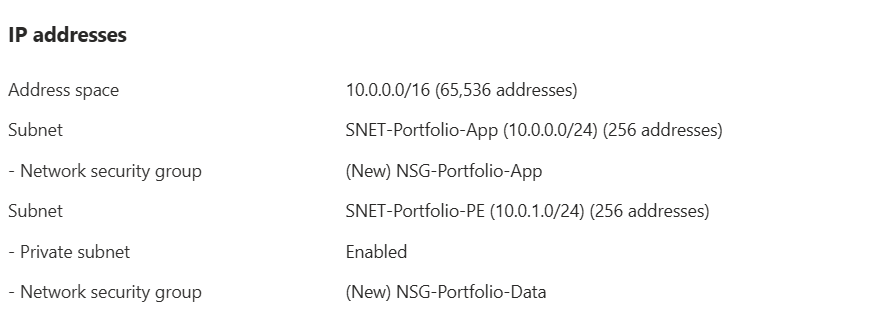
For our vnet, we're using the default /16 address space. The subnets will both use a /24 address space. What differs between them is that the App Service subnet (SNET-Portfolio-App) is public while the Storage Account subnet (SNET-Portfolio-PE) is private. PE actually stands for Private Endpoint. This subnet will use a Private Endpoint in order to talk to the App Service.
Private Endpoint
In the creation of the Private Endpoint, PE-Portfolio-Storage, we set up several network tasks:
- Creating the PE subnet
- Linking the PE to the blob
- Integreating the blob with a private DNS zone
- Creating the PE-Portfolio-Storage-nic
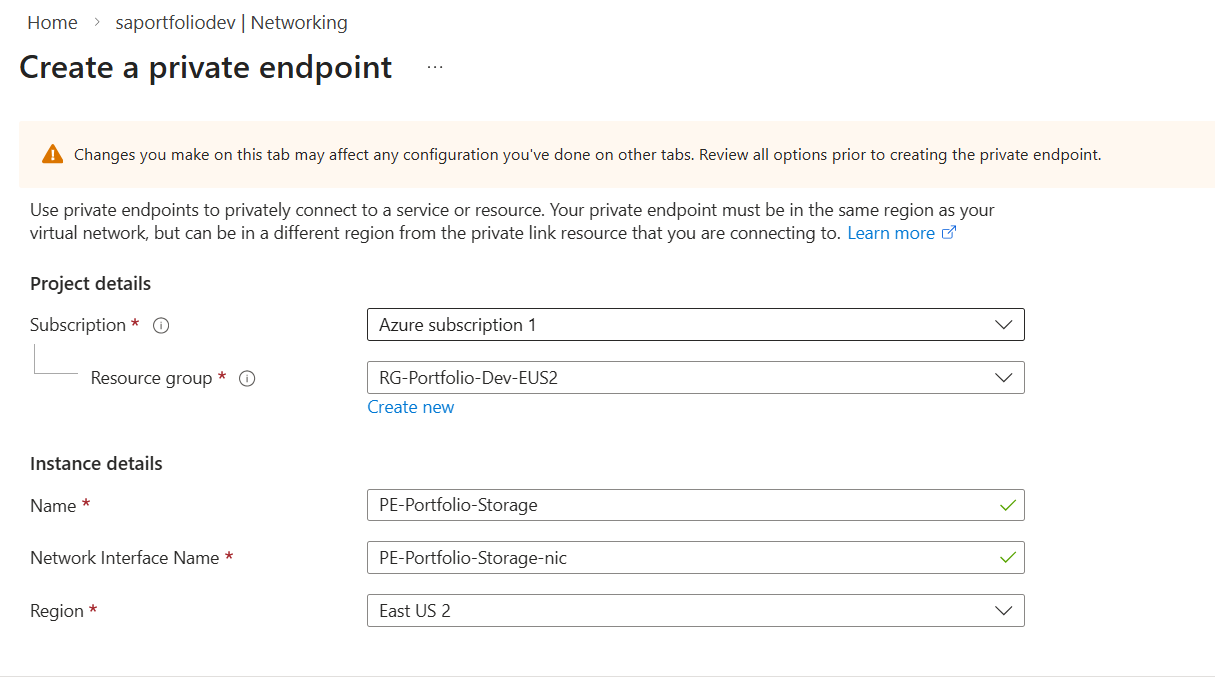
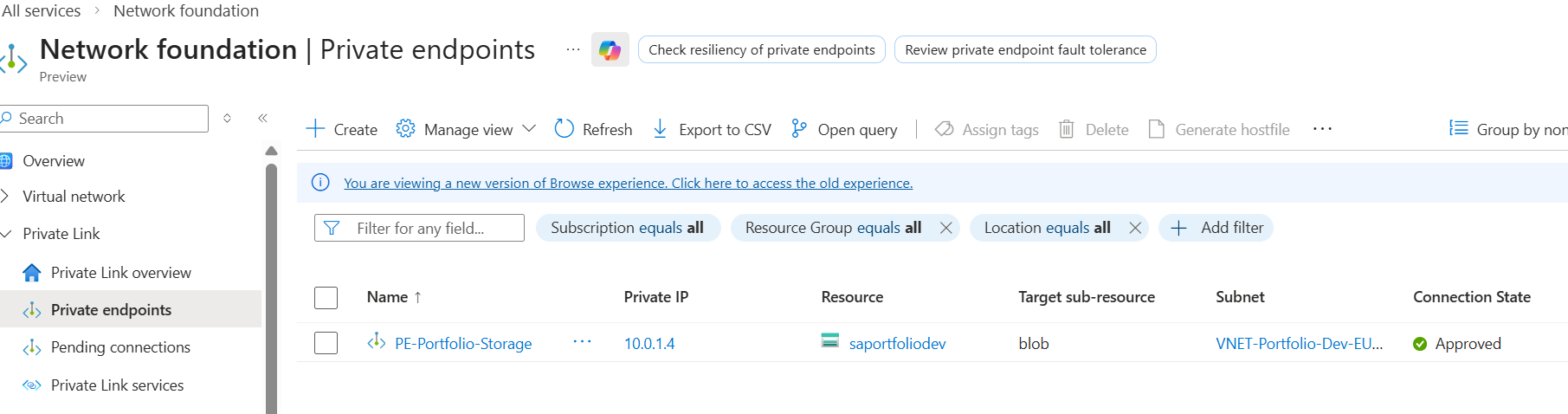
This establishes the private endpoint and gives the blob an ip of 10.0.1.4.
Network security groups
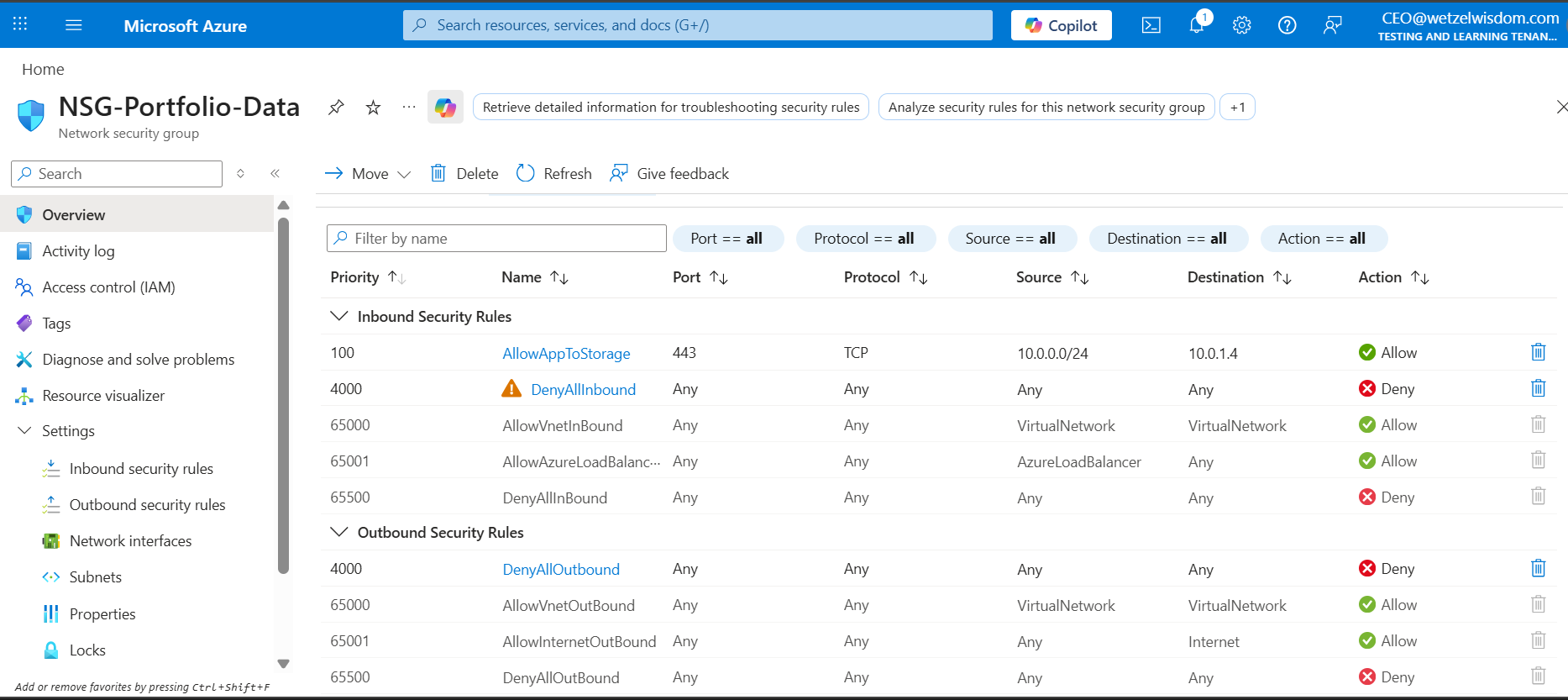
The first group, NSG-Portfolio-Data, is the group for the PE subnet. The logic for these rules is that we want to allow traffic from the app. Only the app. The storage account's private endpoint is not to initiate any outbound connections.
The second group, NSG-Portfolio-App, is designed with a "Deny by Default" security posture. It explicitly allows only specific outbound traffic while blocking all non-standard inbound traffic.
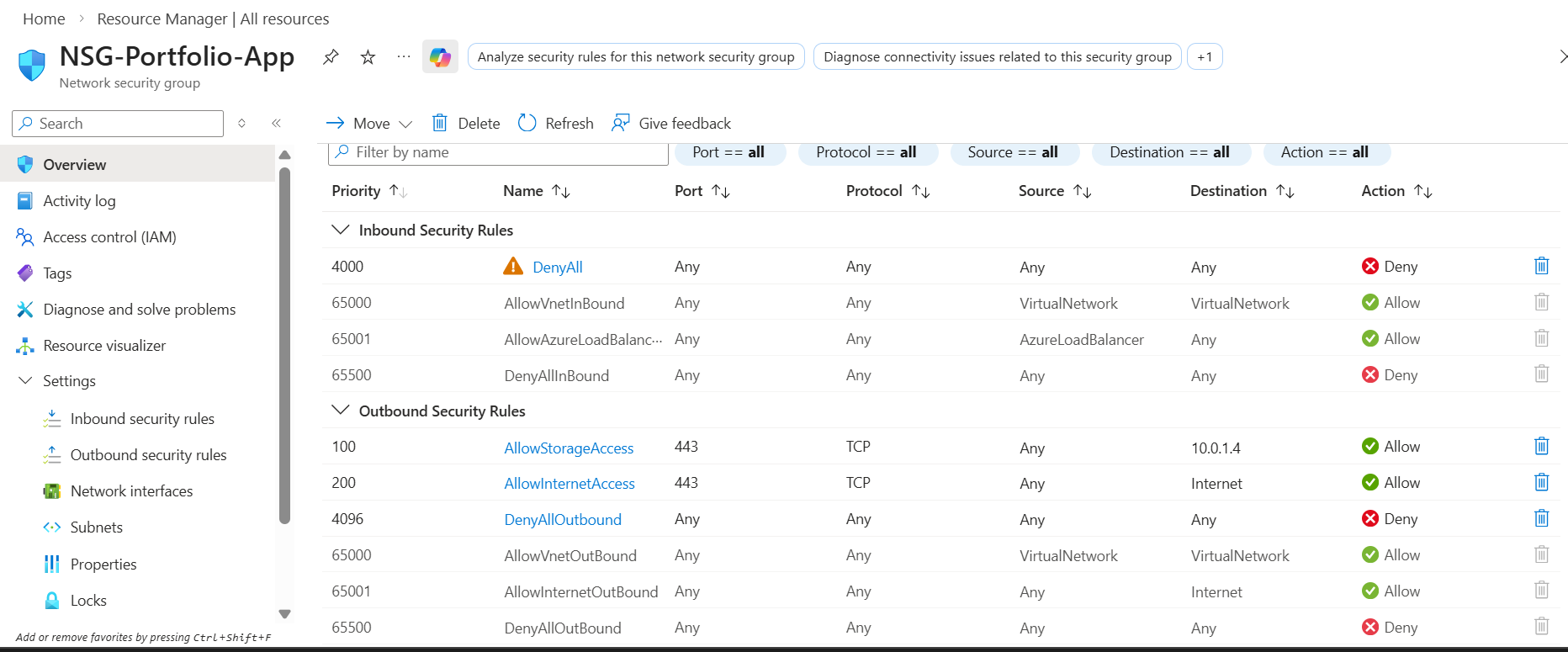
Verifying above configurations
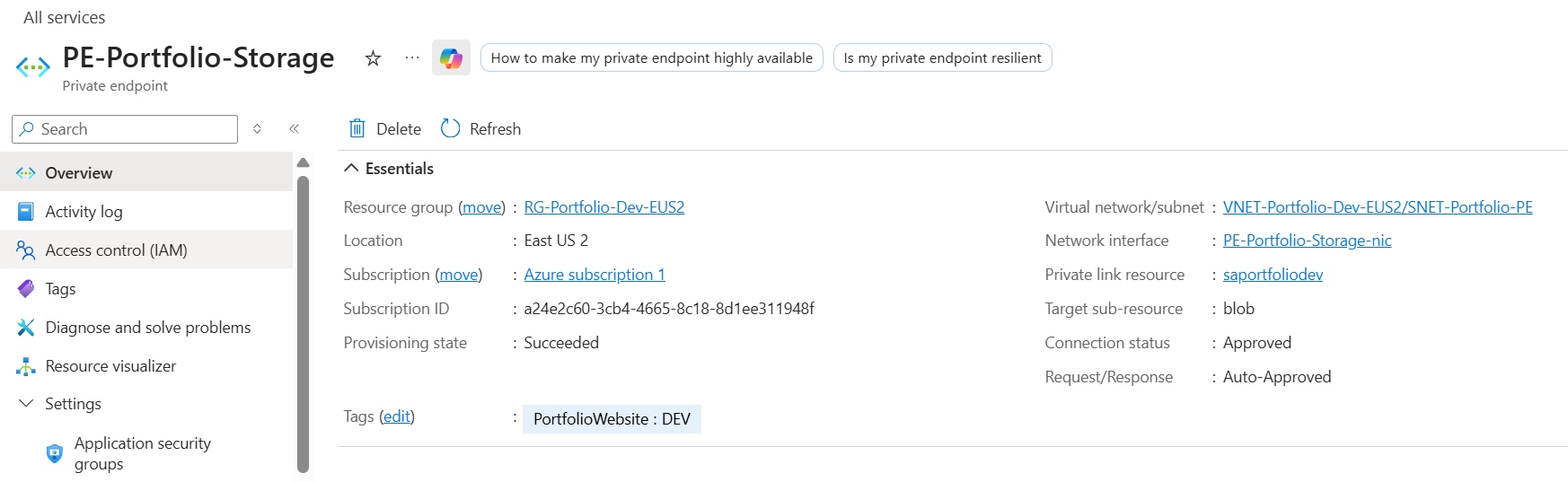
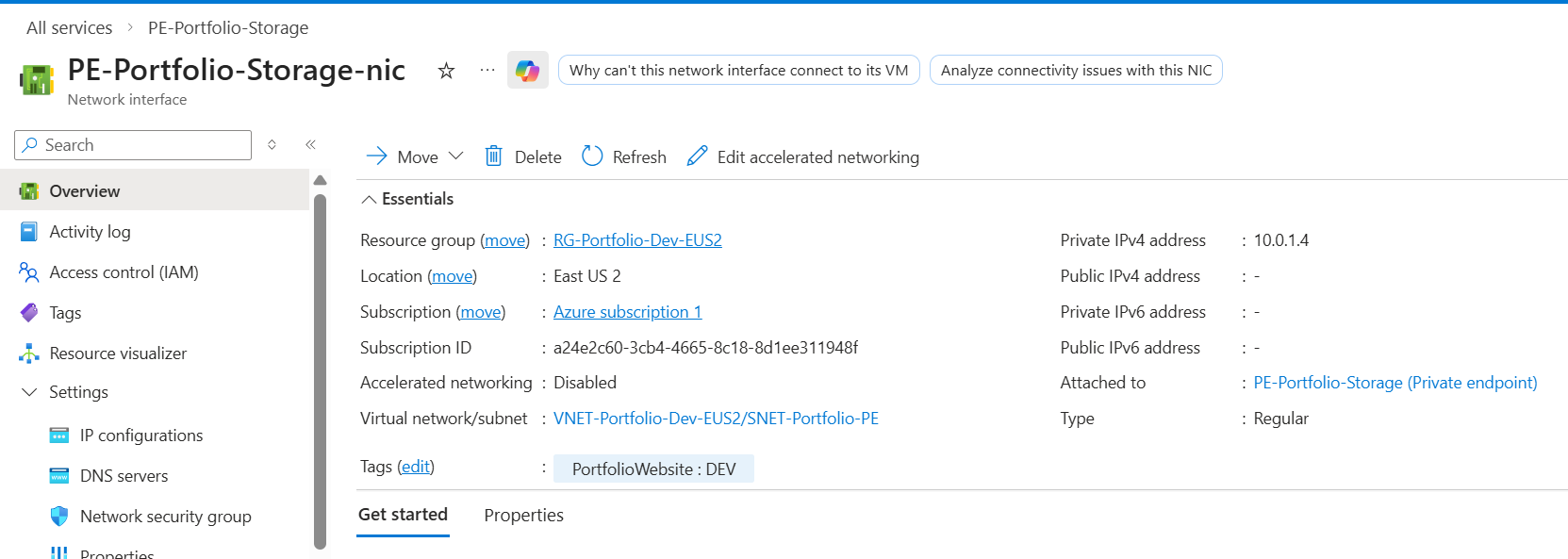
- Let's verify the Private Endpoint Connection. We need to make sure it's Approved and tied to the correct subnet. Looking at the overview of our Private Endpoint, we can see it's Approved! Clicking into PE-Portfolio-Storage-nic, we can see it's IP address is 10.0.1.4, which matches the PE subnet.
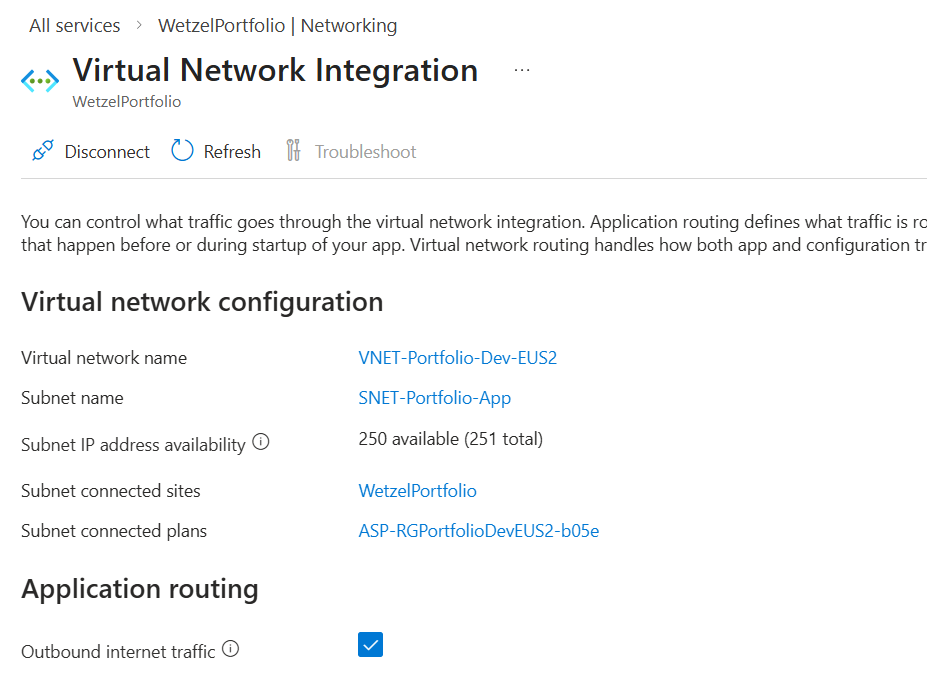
- Let's verify the app is connected to our vnet so that it can reach the private IP. We can do that by going into the Networking section of our App Service. Outbound internet traffic is enabled and we can see the Subent name shows the App subnet. Good!
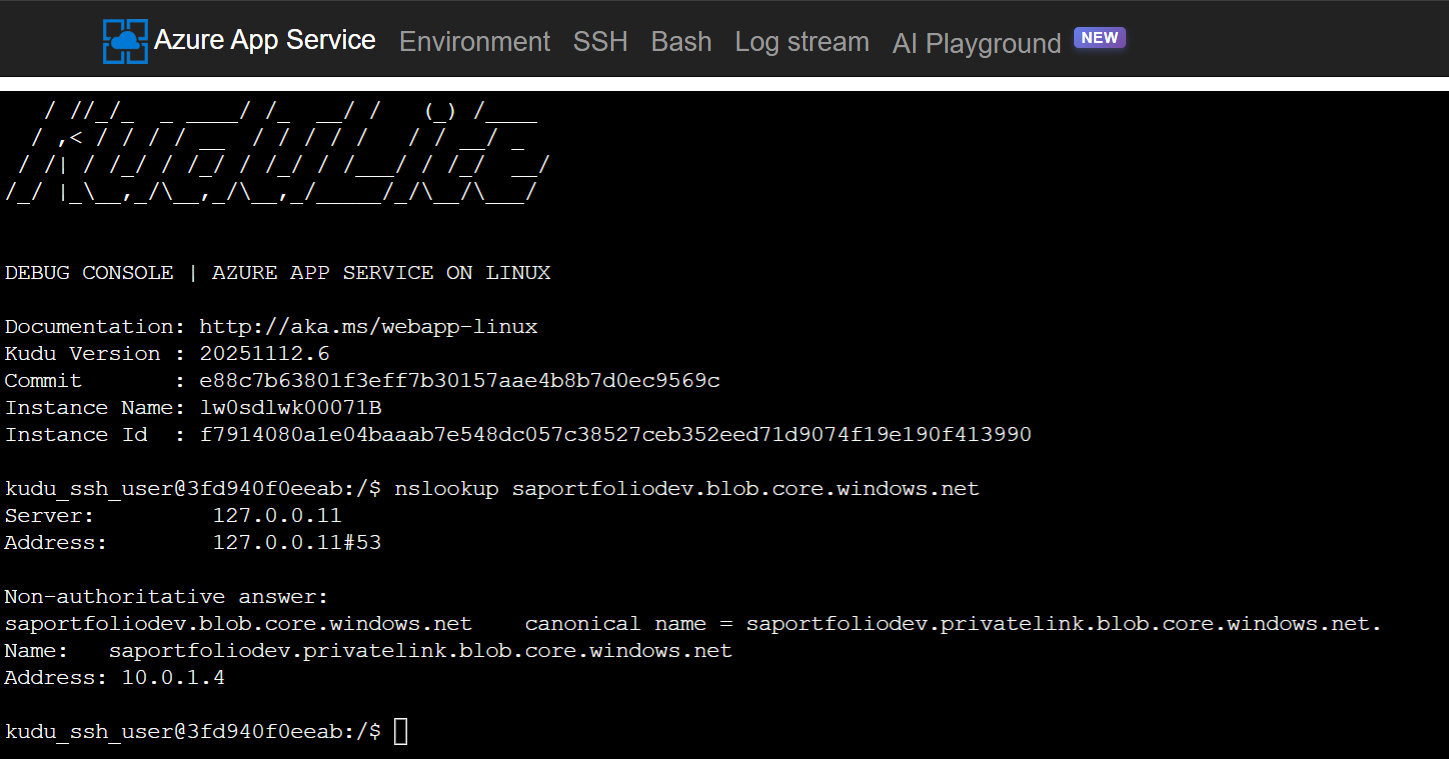
- Let's verify DNS resolution. If my app service resolves the storage URL to a public IP, it will try to go over the internet (and likely be blocked). We can verify by going to the App Service page and accessing Advanced Tools. From there, we can open a bash terminal and run "nslookup saportfoliodev.blob.core.windows.net".
Success! It's showing the IP of 10.0.1.4, proving the app is successfully communicating with storage over the Microsoft backbone.
A fatal mistake
Remember how I said I want to do this without using a CDN, Front Door, or any service that costs money?
I set this all up, verified connections, then disabled Public network access for my storage account. Here's what happened:
After some research, I gathered the understanding that this is because the client (aka your device, not the app) is is trying to fetch those images directly from the storage URL when the site is accessed. Not good. I had the belief that the app was fetching the images from the blob, then presenting them to you.
One strategy around this, and what I'm most considering, is to create a .py file that downloads the images from the blob locally using an App Registration. The images would be hosted in the /images folder in this repo, would would then push to the App Service whenever I push/commit to github. Build times would be much longer, but this would still ensure the blob is not public facing.