Storage Strategy
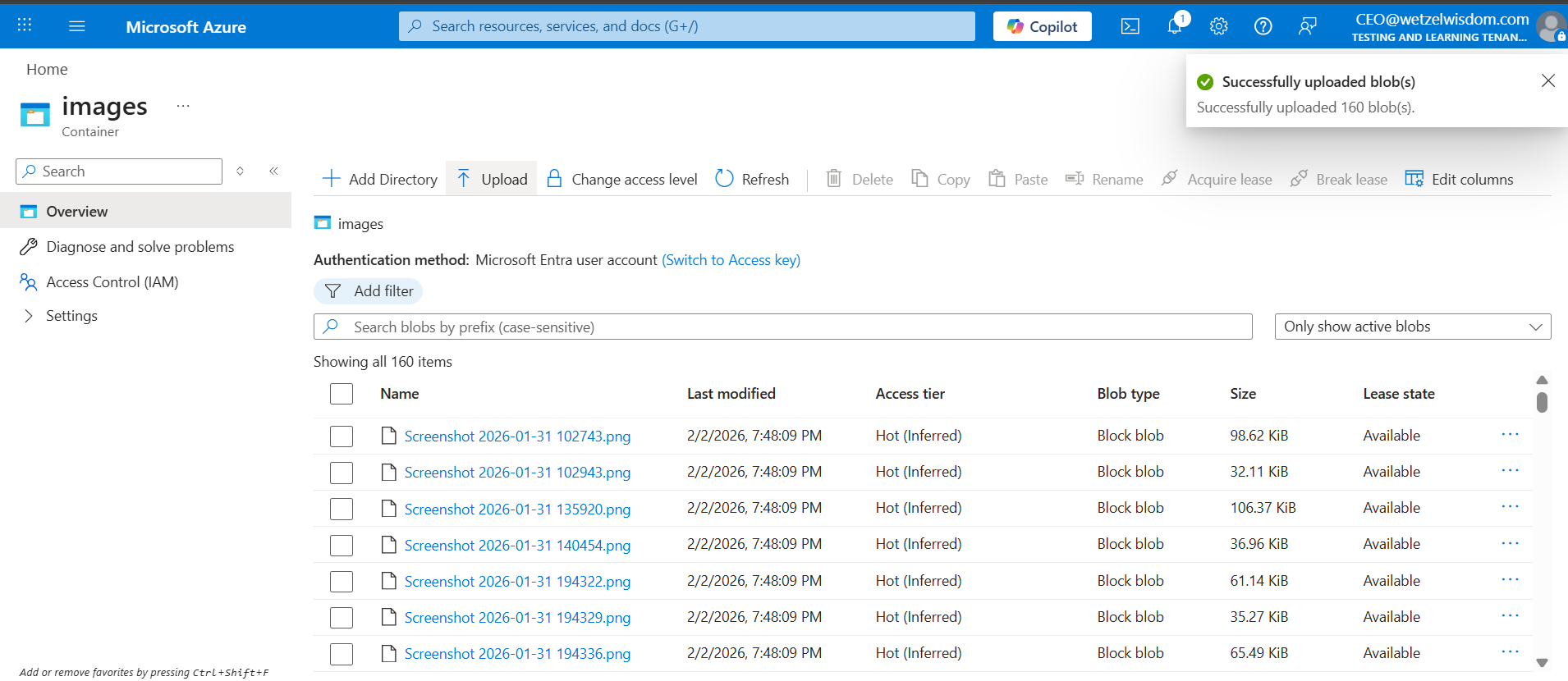
Use Blob storage to publicly host screenshots that are needed for documentation. Keep it low cost, keep it secure!
Basics
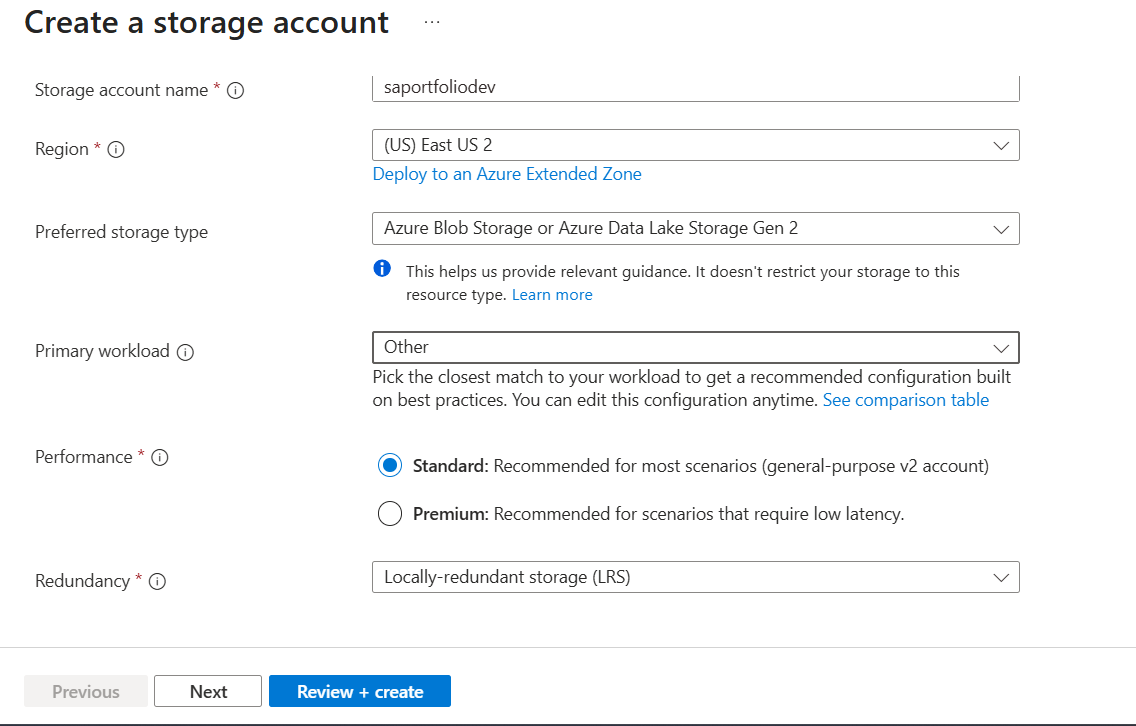
To start, the storage account was named "saportfoliodev" to follow the format of: 1.storage account, 2. project name, and 3. dev or prod. This is the best way im able to cope with using ONLY alphanumeric characters.
For this project, cost is one of my priorities, so it's no question I would select Standard performance and LRS Redundancy.
Advanced
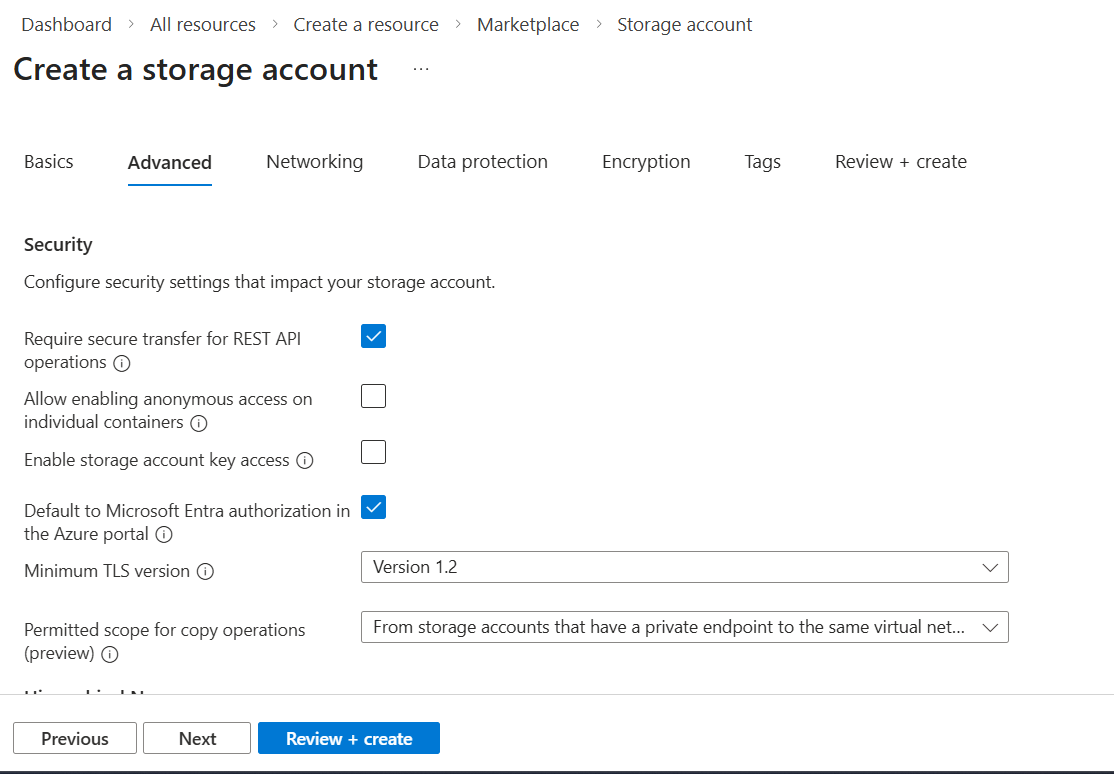
It's important that secure transfer for REST API operations is enabled, as all connections will be forced to use HTTPS and therefore all data will be encyrpted in transit.
Let's talk about Allow enabling anonymous access on individual containers. Disabling this option (or leaving it unchecked) stops site visitors from seeing files presented on the site. The only way around this is by using a CDN or Front Door, which starts at ~$30/month. In my case, I enabled the anonymous access for the storage account. When doing this, it's important to note that if your site is to contain any sensitive info such as passwords, PII, or backups, that you must create a separate, private storage account(with anonymous access disabled).
Storage account key access is disabled/unchecked. These keys are risky because they never expire. We want a more modern auth where permissions are granted to users or apps. This also ties in with having Default to Microsoft Entra authorization in the Azure portal enabled/checked.
TLS is set to a 1.2 minimum, as older versions are known to have vulnerabilities.
Permitted scope copy was set to the highest security level. It mandates that the copy source account must be on the same private network as itself.
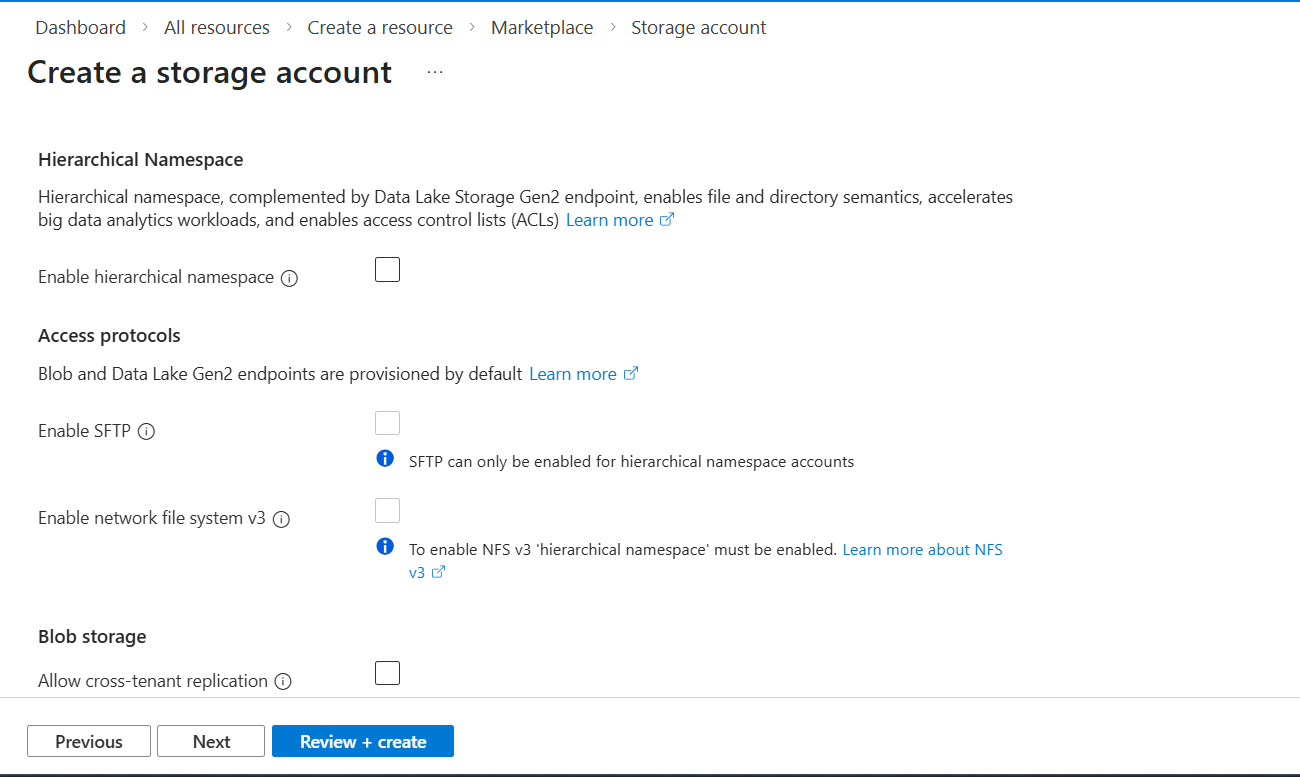
Because we are interested in just a Blob storage, we have hierachical namespace disabled/unchecked, which leads to SFTP and network file system v3 being unavailable.
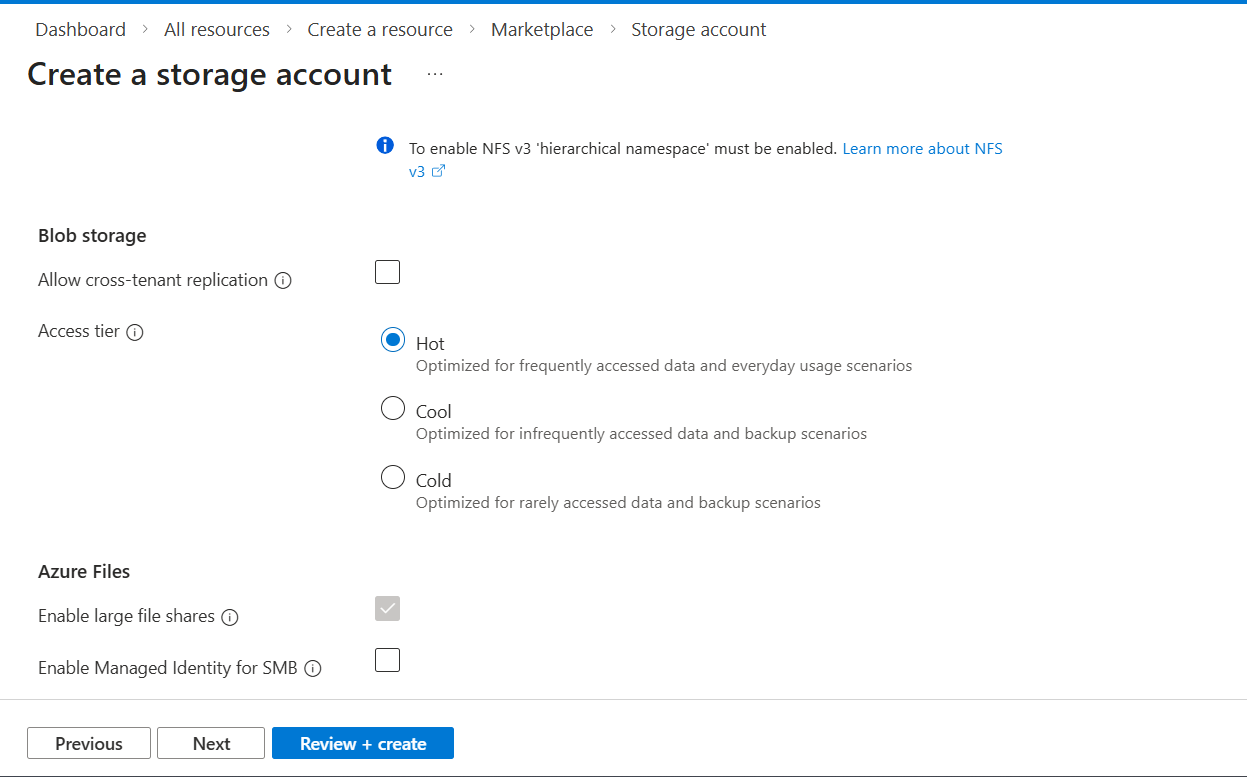
Cross tenant replication is disabled. I have no interest in other tenants at this moment.
My chosen blob access tier for this project was Hot. I believe that the files on the website will be accessed frequently. Since I'm dumping all of my screenshots I've taken into the blob, I probably won't use a lot of them. Therefore, it may be smart to introduce lifecycle management to make those unused images turn cold.
The settings for Azure Files have been left alone since Files will not be used for this project.
Networking
Here we go...
Because I chose not to proceed with a CDN or a Front Door, I had to enable Public network access, and enabled from all networks. Yes, wide open. On our container later, we will configure the Public access level setting within it to prevent anyone from "listing" the files. They can only see an image if they have the exact direct URL (which the website provides).
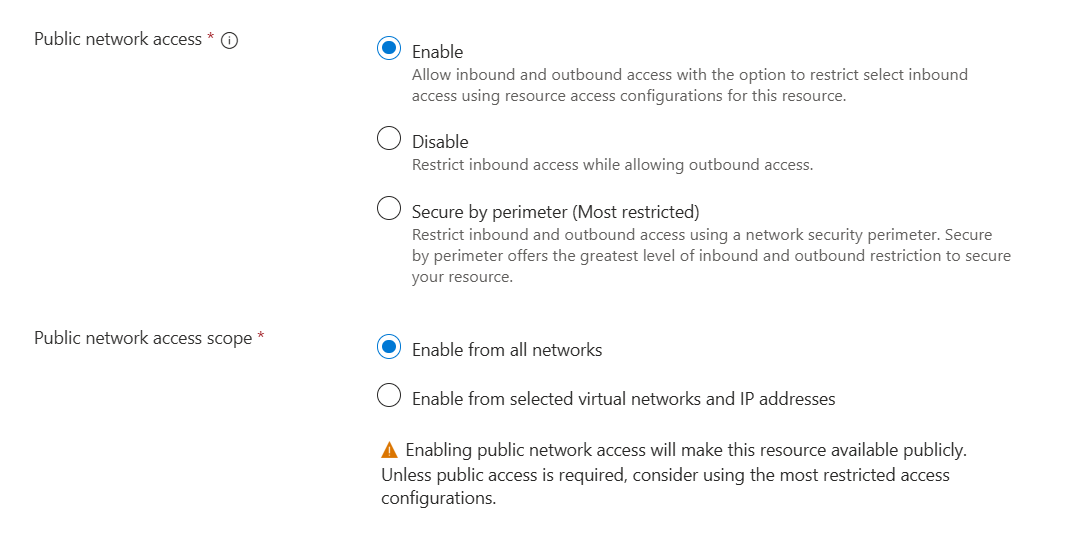
I held off on making my VNets and/or private endpoint until after the storage account was completed.
For Security sake, I chose Microsoft routing over internet routing as my preference. I think I'll take security over shaving some cents off.
Data Protection
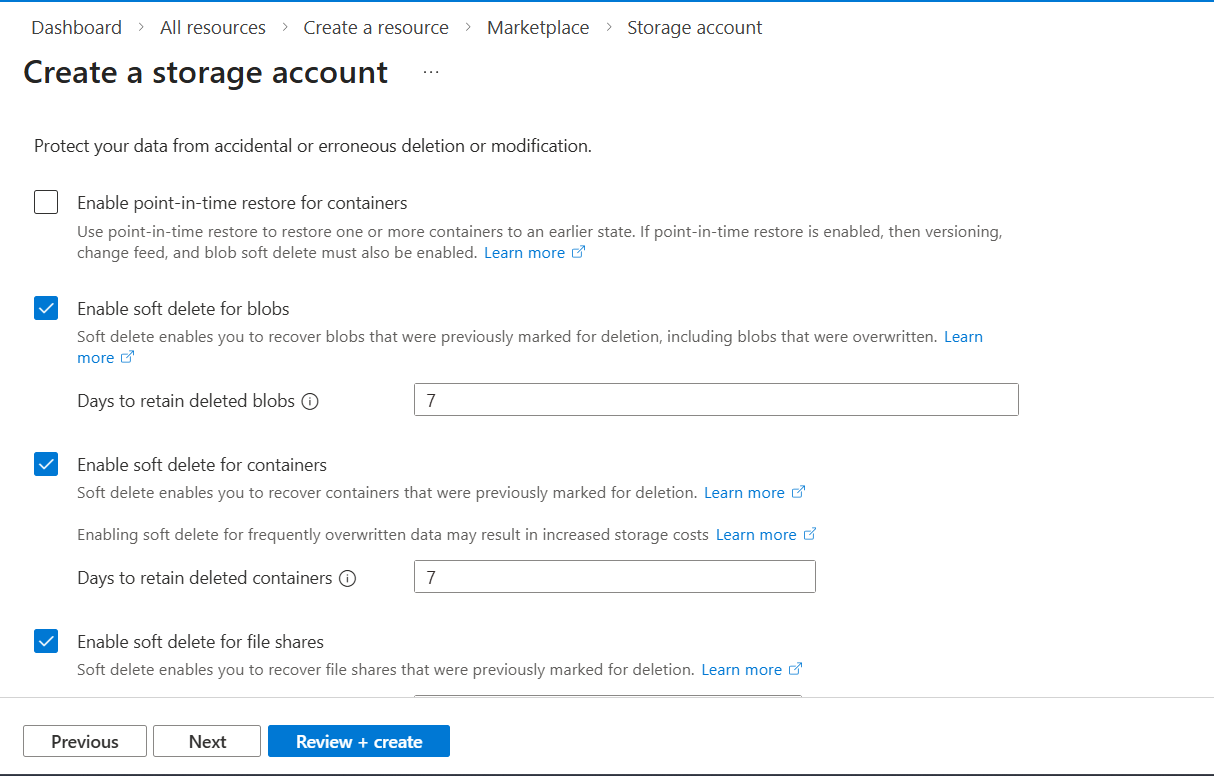
This section is all about the worth of your files and your risk tolerance. I personally chose to keep all soft delete settings to 7 days. I can always go back and get any screenshots I need. With this blob, I'm dumping the files and never looking back. There isn't a high level of maintenance or worth to the files. If I were to bump the duration to 30 days, then it would mean I pay the storage costs for 30 days worth of backups. Even versioning for blobs and blob change feed are inapplicable to my use case.
Encryption
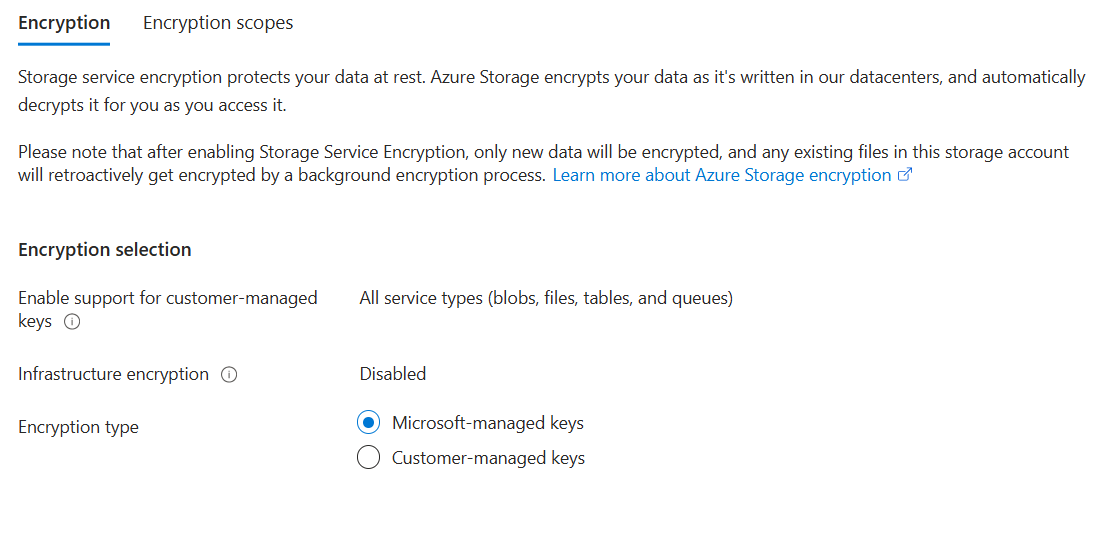
Encryption type was set to MMK. This seems like the "set it and forget it" option where Microsoft handles all the heavy lifting of generating, rotating, and backing up my keys. Either way, I enabled CMK support for all blob types, just incase I want to explore CMK down the line.
Double Encryption was left as disabled/unchecked. Why? Because per Microsoft:
"Infrastructure encryption is recommended for scenarios where doubly encrypting data is necessary for compliance requirements. For most other scenarios, Azure Storage encryption provides a sufficiently powerful encryption algorithm, and there is unlikely to be a benefit to using infrastructure encryption."
Creating a container
So now that we have our blob created, we need to put in our images for the site. In order to host images, we need a container.
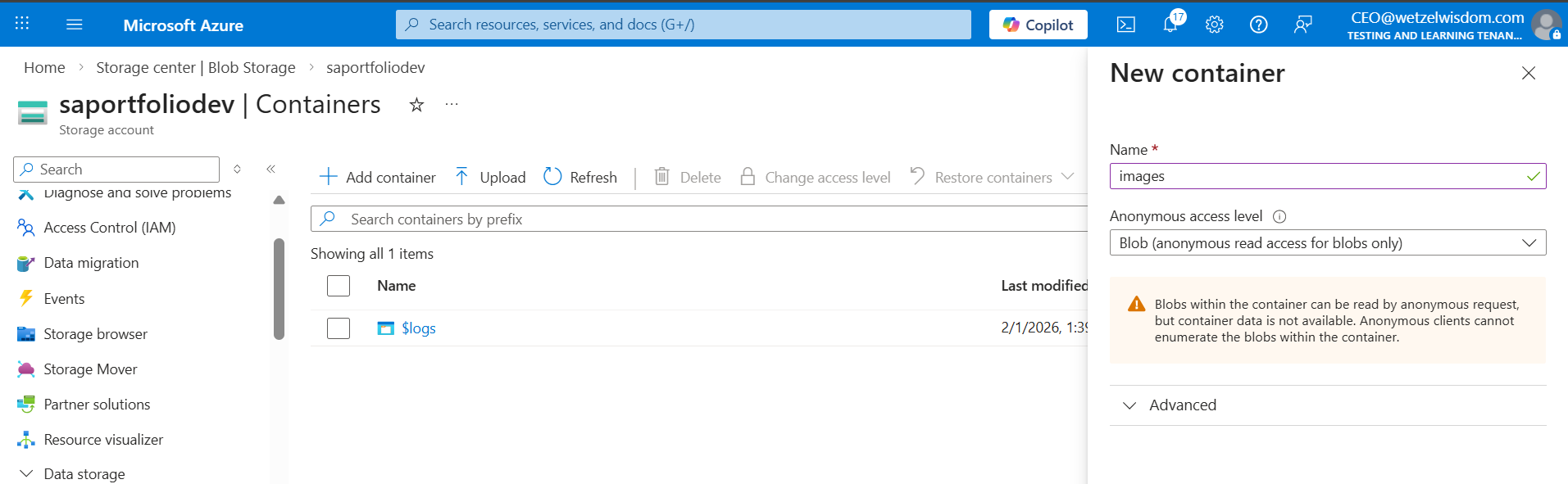
In the below screenshot, an important security setting is shown: Anonymous access level. By setting this option to Blob, I'm allowing public access only to the specific container meant for web traffic. If I were to make other containers in this storage account, they shouldn't be able to be listed.
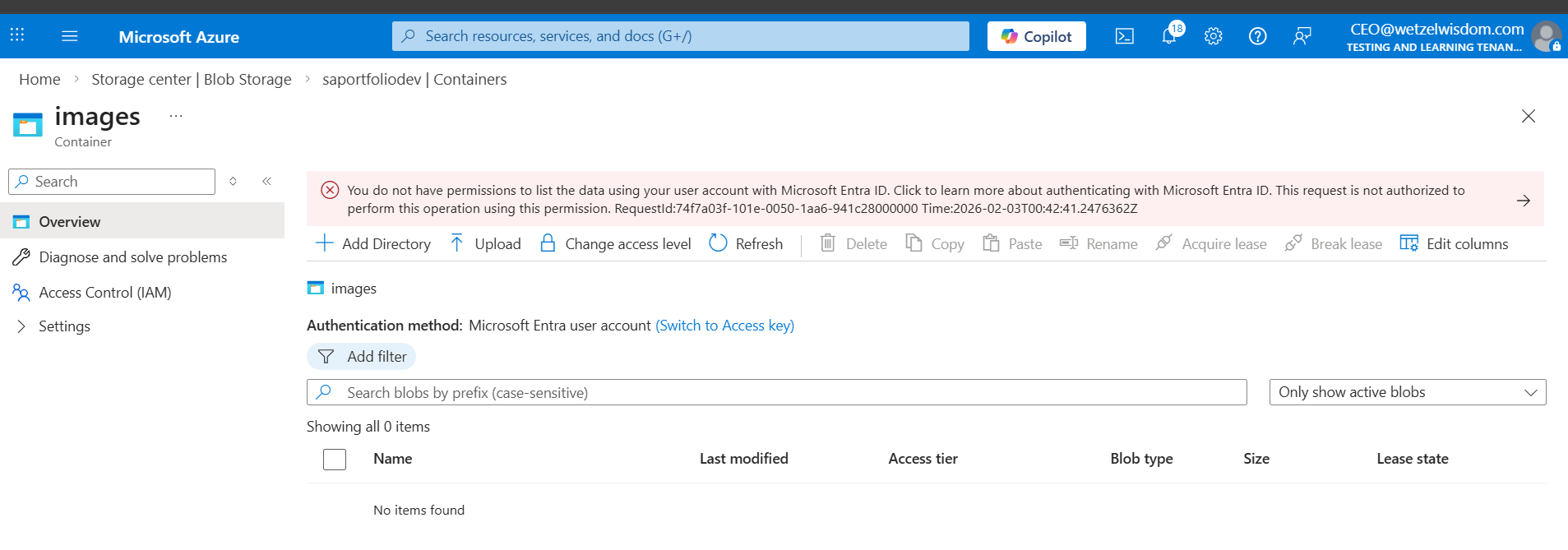
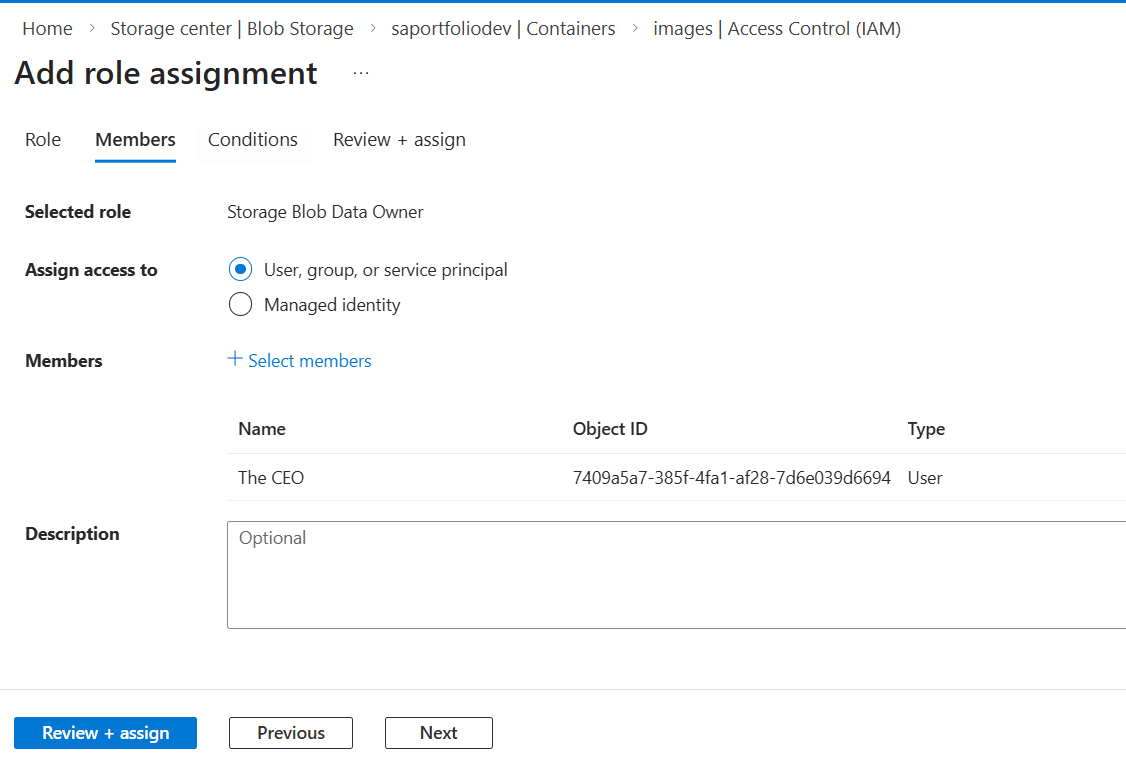
After making the container, I went to go add my screenshots then saw an error that claims I don't have permission to list the data using my Entra account. This was resolved by creating a role assignment for the Storage Blob Data Owner and assigning it to myself.
Success!