Creating the App Service
App Service
The goal is to create an app service that has a low base mothly cost and can integrate with Github for CI/CD
Basics
For the app, the setup was more straightforward that other services. My language and OS of choice was Python 3.14 and Linux running on a Basic B1 located in East US2. Out of avialable programming languages, I'm most familiar with Python. As an effect of choosing such, Linux is the forced OS. Linux is the only supported operating system for running Python. The only time Windows would be needed for python code is when I'm working with Windows COM objects.
I chose the basic pricing plan with the intention of cost reduction. Zone redundancy is available only on Premium pricing plans.
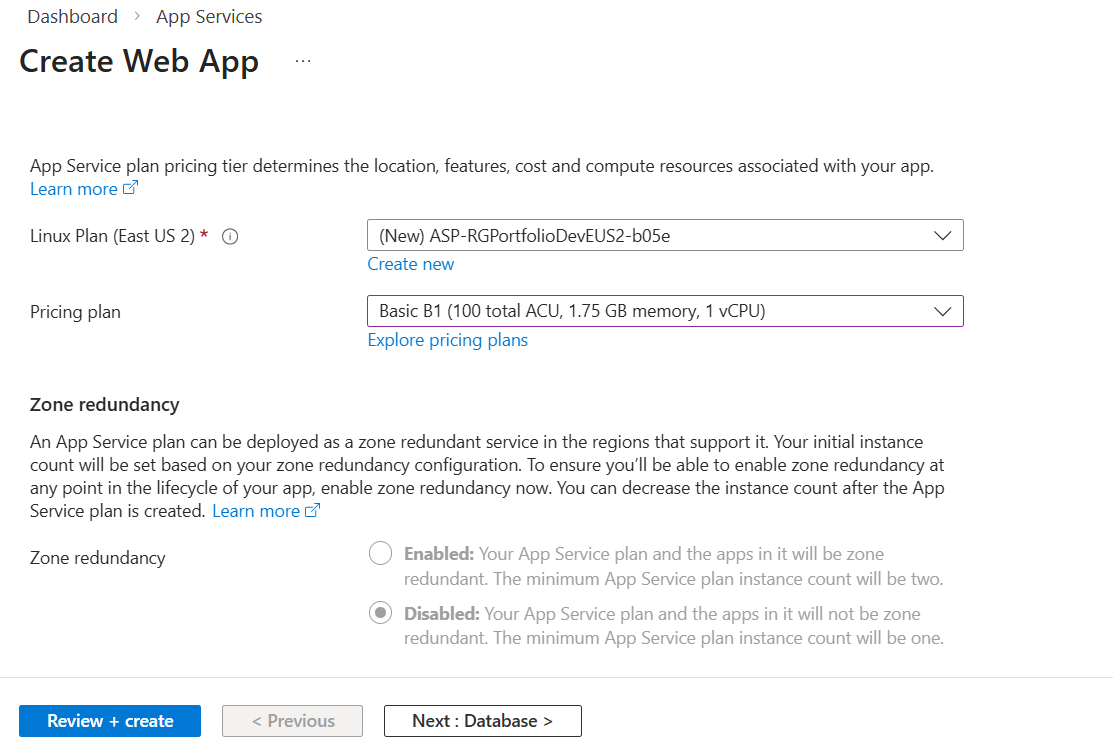
As one of the goals is to connect this app to a storage account, I opted out of making a databse.
Deployment
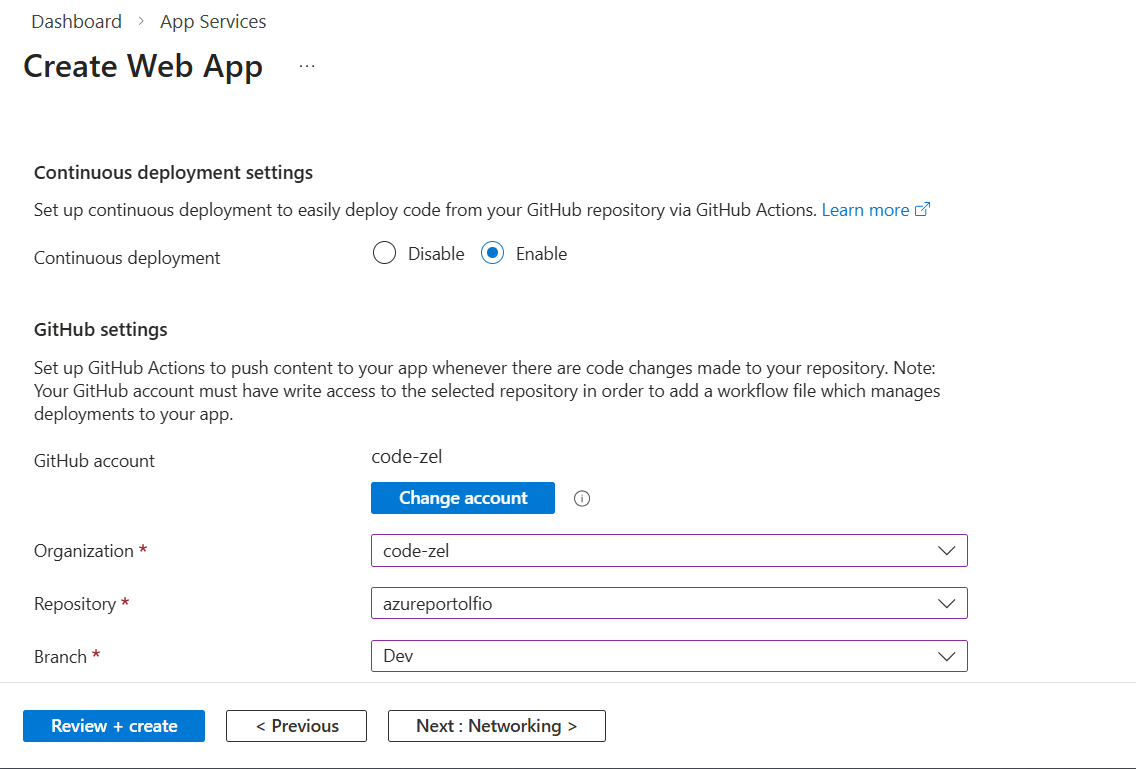
As of this moment, my github repo was already created, and I didn't even catch I had spelled the name of the repo incorrectly. This caused some fixing-to-do down the line.
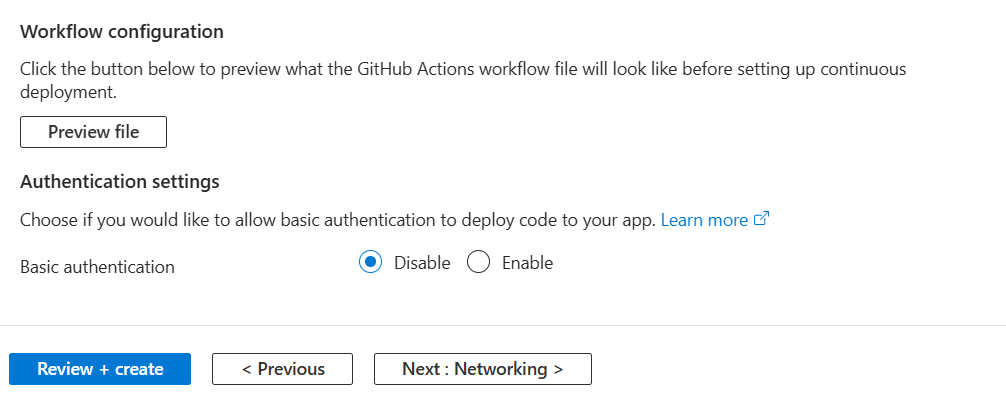
Basic authentication was left disabled. It's actually more secure to do so. Disabling this option forces Entra for authentication rather than a hard-coded password. This is also disabled with the intent of configuring Github actions and OIDC later down the road.
Networking
Networking is planned for setup once the storage account and app service are finished. For now, Public Access is enabled and Virtual Network Integration is disabled.
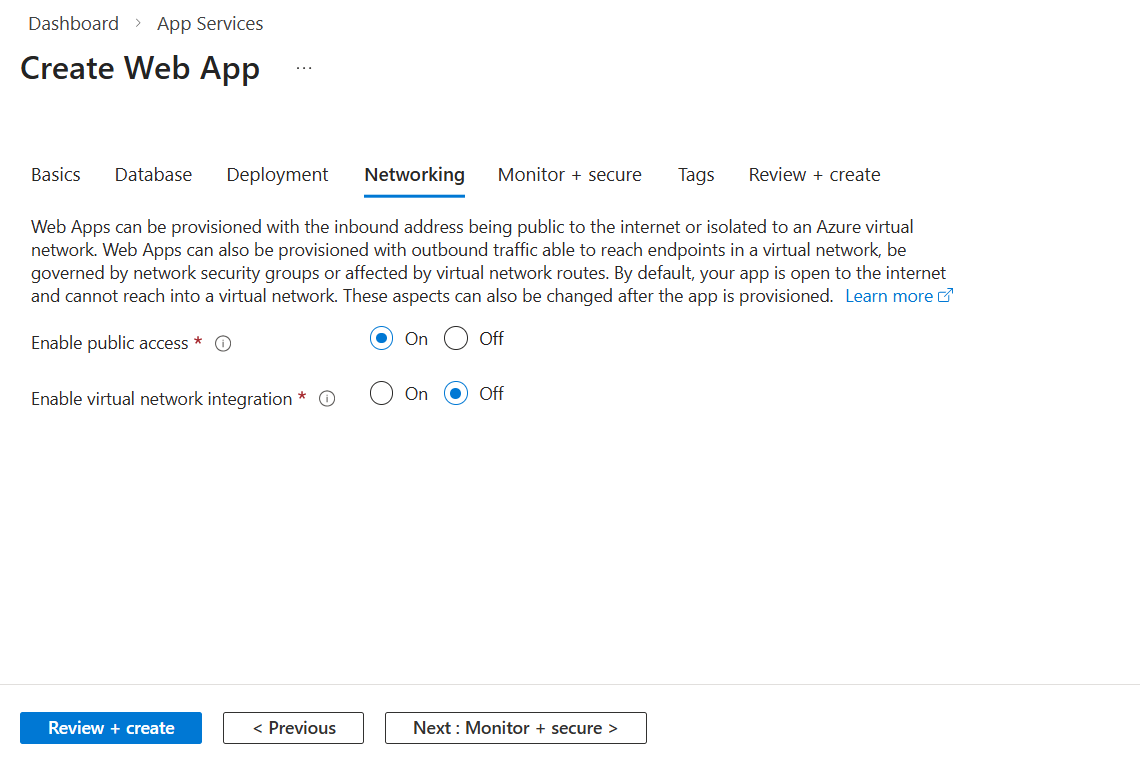
Unfortunately, Enable Application Insights wasn't available as my selected plan tier wasn't expensive enough.
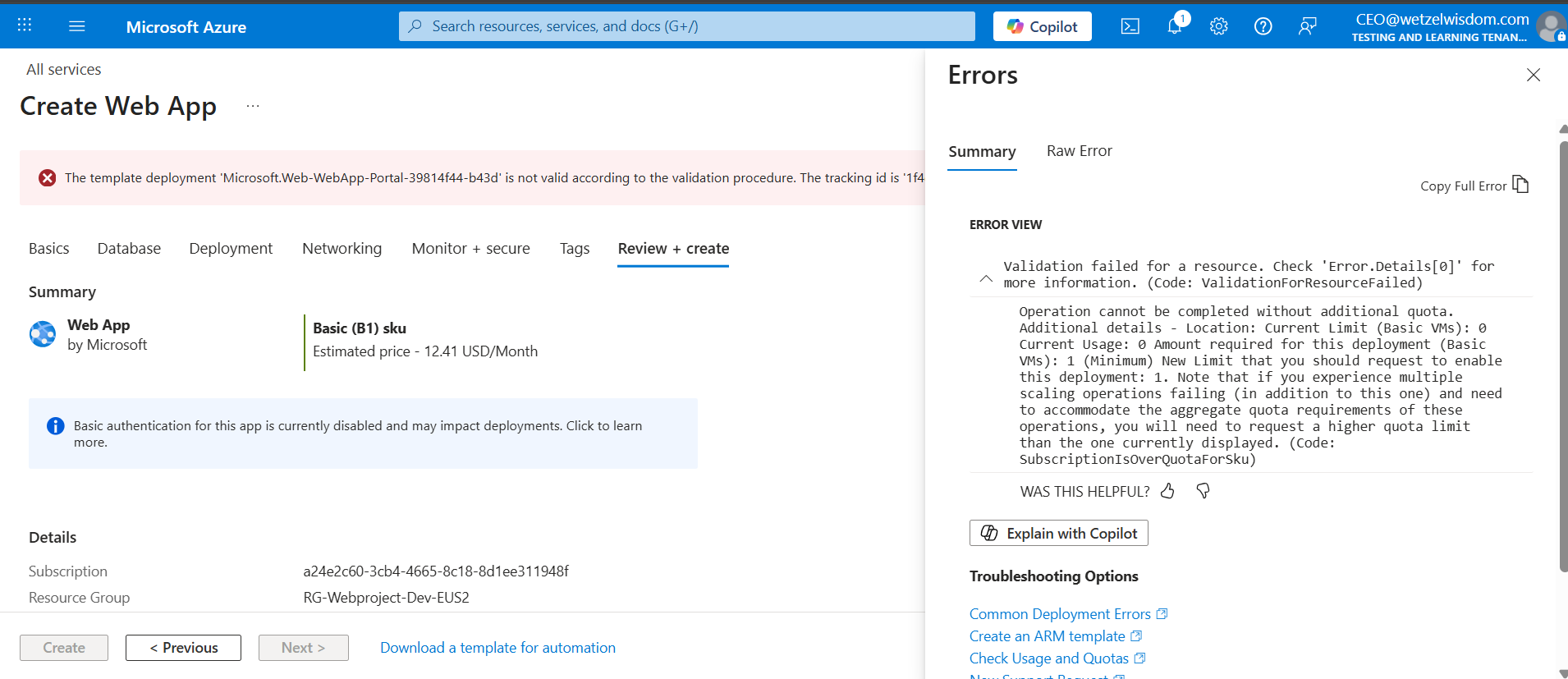
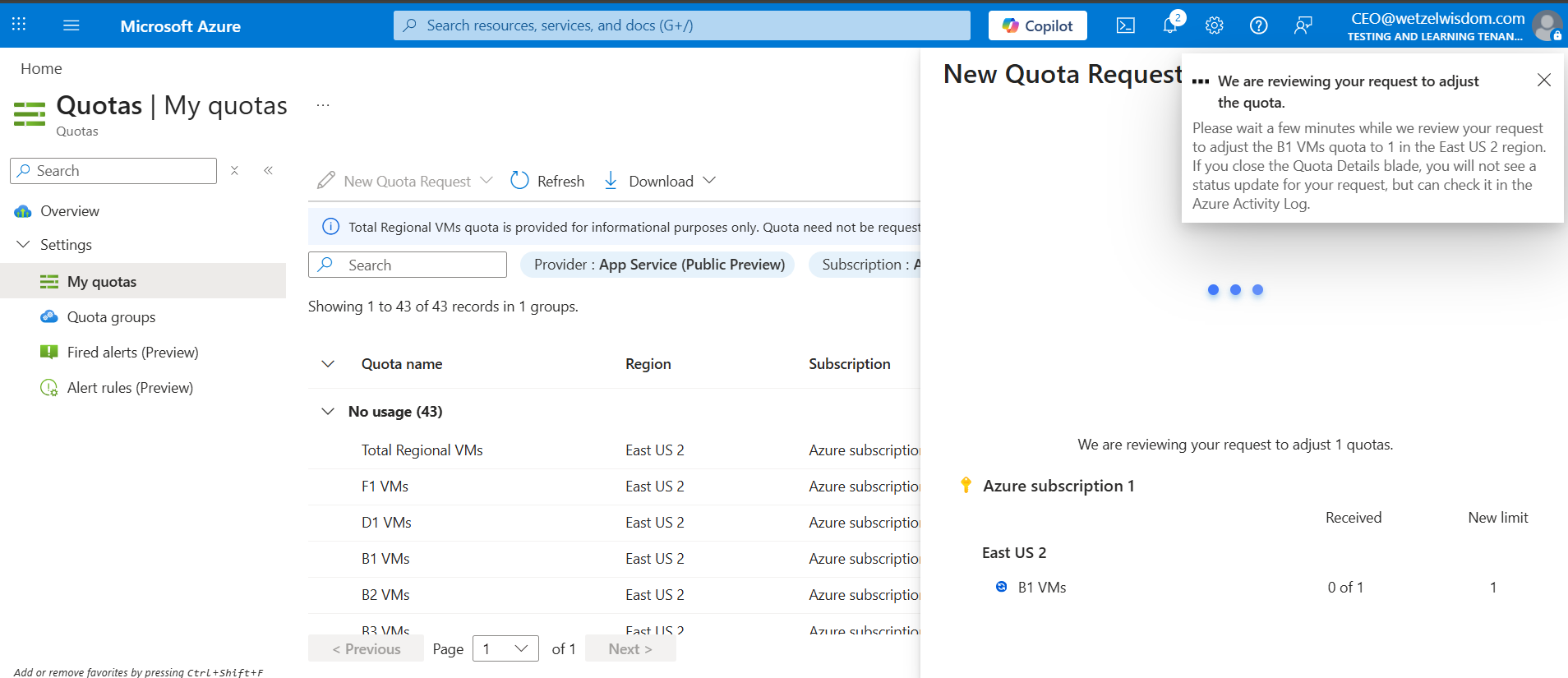
While finalizing the app service, I ran into a rite-of-passage roadblock: quotas. Apparently, accounts by default have a quota of 0 for Basic-rated VM's. In order to fix this, I had to navigate to the Quotas section of Azure and request an increase. I requested for my B1 quota to be raised to 1. I couldn't believe this at first, but I can understand it as a bumperguard measure for customers. A few moments later and my quota request was approved.
The creation of the WetzelPortfolio app also saw the birth of our first resource group, RG-Portfolio-Dev-EUS2

Squashing the bugs
Another large roadblock I ran into: because I was using python, it created a conflict with Azure's deault build engine, Oryx. When I deployed code, it seems that Oryx couldn't find an entry point (like app.py) and therefore kept failing to start the app, giving me an "Application Error"
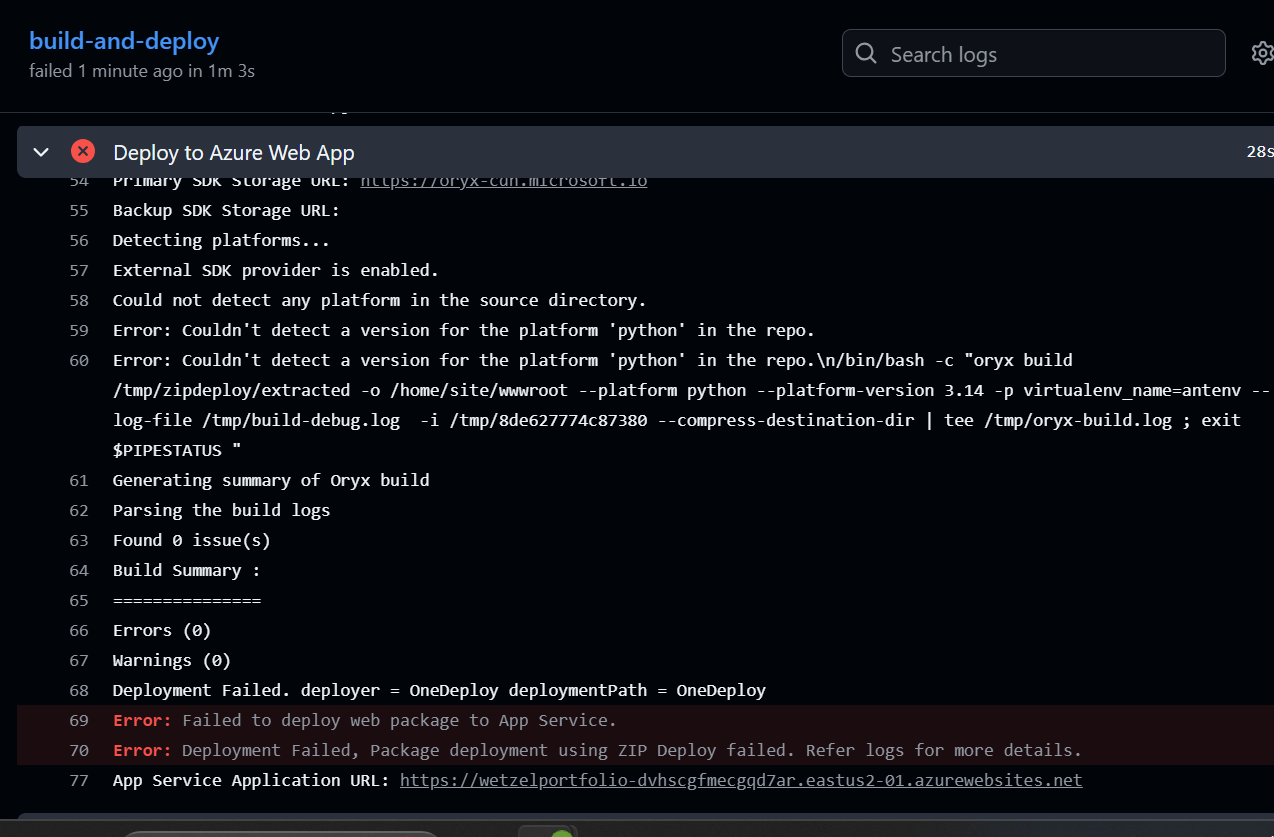
This was ultimately resolved by taking the following actions:
- Disabled the Oryx build by adding the App Settings SCM_DO_BUILD_DURING_DEPLOYMENT = false , ENABLE_ORYX_BUILD = false.
- Added startup command python -m http.server 8000 --directory /home/site/wwwroot
From there, the only other thing I had to do was to fix my github repo. I had ran "git init when I was mistakenly in my azureportfolio folder, therefore creating duplicate .git folders and stopping myself from successful commits/pushes.
Here is what the site looks like after the fixes. Time to get documenting!